QR codes for Airbnb and holiday rentals
Airbnb hosts and holiday let owners use QR codes to connect guests to the Wi-Fi in one tap, open the house manual and show how the log burner or hot tub works. Codes in the welcome book also save the host's number for emergencies, share a map of local favourites and send a checkout text with the message already written. That means fewer late-night messages asking for the router password, and a calmer arrival for guests who've been travelling all day.
- Wi-FiStandard
- House manualWith logo
- We've checked outStandard
Use cases
What to put in each code, and the generator that makes it.
- Wi-Fi
Wi-Fi from the welcome sign
The router password is the first thing every guest asks for. A framed Wi-Fi code on the kitchen worktop joins the network in one tap, so nobody types 20 random characters off the bottom of the router, and it works before they've found any mobile signal.
Wi-Fi QR code generator - Website
A house manual you can keep editing
Write the bin days, heating instructions and checkout list in a Google Doc, Notion page or on your own site, and link a code to it from the welcome book. You can edit the document between stays without reprinting anything.
Website QR code generator - YouTube
How the hot tub works
A small code on the hot tub cover, log burner or coffee machine opens a short video you've filmed of it in use. Upload it to YouTube as unlisted, and guests get a demonstration instead of a paragraph of instructions.
YouTube QR code generator - Google Maps
Your favourite pubs and beaches
Save your local recommendations as a shared list in Google Maps, from the best pub lunch to the nearest late-night shop, and put the code on the fridge. Guests get directions to each one, not just a name.
Google Maps QR code generator - Contact card
The host's number for when things go wrong
A contact card code inside the front door saves your number, or your co-host's, so a guest with a tripped fuse rings you rather than waiting until the review to mention it.
Contact card QR code generator - SMS
Checkout in one text
An SMS code on the checkout list opens a text to you that already says the guests have left and the keys are back in the safe. They press send, and your cleaner knows they can start.
SMS QR code generator
Print and placement tips
How to size, place and print your codes so they scan first time.
- 01
Put it where guests look first
Guests head for the kitchen, not the cupboard under the stairs where the router lives. Put the Wi-Fi code on the worktop or the back of the front door, in a small acrylic stand or frame so it doesn't vanish among the takeaway menus.
- 02
A new password needs a new code
A Wi-Fi code stores the password itself. If you change it between guests, print a new code and leave a spare in a drawer for the cleaner to swap in. Use the router's guest network if it has one.
Guide: How to share your Wi-Fi password with a QR code - 03
Size it for the room
A welcome card that guests pick up needs a code of 3 to 4cm. A sign on the wall by the door, read from a metre or so away, should be 8 to 10cm.
Guide: What size should a QR code be? - 04
Waterproof anything outdoors
Codes by the hot tub, on the barbecue or in a steamy bathroom need laminated or vinyl labels. Paper curls and smudges within a week, and a smudged code won't scan.
- 05
Link to a document, not a download
Point the house manual code at a link that stays the same when you edit, such as a shared Google Doc, rather than a PDF you'll replace every season. If the link does change, edit the code's destination.
Guide: Static vs dynamic QR codes: which should you use?
Which style to choose
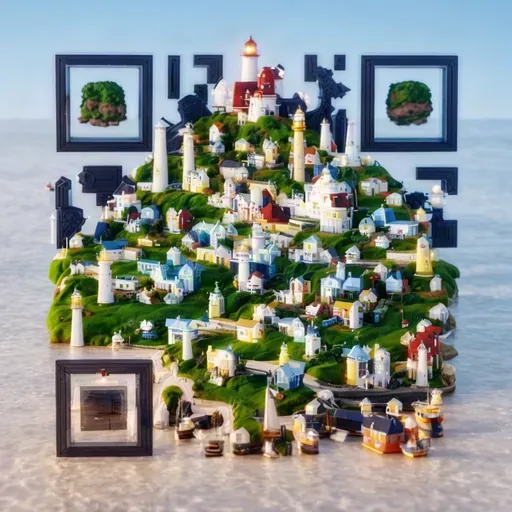
Standard codes are free and look tidy in a small frame on the worktop. A logo code (1 credit) with your property or management company logo keeps things consistent if you run several lets. AI art codes (5 credits) can be a framed print in the hallway, perhaps a sketch of the harbour or the cottage itself, that guests scan for the house manual.
Common questions
Is it safe to put the Wi-Fi password in a QR code?
Anyone who can see the code can join, just as with a password written on a card, and that's the point for guests. Use a guest network if your router has one, and change the password and the code if you're worried a past guest still has it.
Can Scandalous host my house manual?
No. Write it in Google Docs, Notion, Canva or on your own website, then make a link code that points to it. Choose a link that stays the same when you edit the document.
What if I change the Wi-Fi password between guests?
Then you need a new code, because the password is stored in the code itself. Standard codes are free, so making a new one costs nothing.
Will guests from abroad be able to scan it?
Yes. QR codes work the same everywhere, and the built-in camera on most phones reads them. A Wi-Fi code joins the network without mobile data, which helps guests who haven't got a local SIM.
I manage several lets. Can my co-hosts make codes too?
Yes. Codes, logos and credits belong to an organization, so co-hosts you invite can see and make codes for every property, and share its credits.
your first code is free.
sign up with your email and start making codes. add a logo or ai art whenever you need it.
get in, it's free