QR codes for trade shows
Exhibitors use QR codes on stand graphics, pop-up banners and handouts to save a sales rep's details to a visitor's phone, book a demo or meeting, and open the product page behind what's on display. An email code with a subject like "Send me the brochure" lets a visitor ask for information in one tap, and leaves you with their address and a clear reason to get in touch after the show. None of this needs a lead capture system: the codes point at the calendar, pages and inbox you already use.
- BrochureStandard
- Meet PriyaStandard
- Book a demoWith logo
Use cases
What to put in each code, and the generator that makes it.
- Email
Brochure requests in one tap
Visitors don't want to carry a bag of catalogues round the hall. An email code with the subject "Send me the brochure" opens a ready-written email to your sales inbox, so each request arrives with the sender's address and is easy to find when you follow up.
Email QR code generator - Contact card
The rep's details, saved before they walk off
Print a contact card code on each rep's lanyard insert or the back of their business card. It saves name, phone, email and company to the visitor's phone, and because the details are in the code itself it works even when the hall has no signal.
Contact card QR code generator - Calendly
Book the demo while they're interested
Busy stands lose people who can't wait. A code on the counter opens your Calendly page so a visitor can book a call or a slot later in the show, rather than promising to get in touch and forgetting.
Calendly QR code generator - Website
Product pages from the banner
Put a code beside each product on the back wall or pop-up banner, linking to its page with specs, datasheets and prices. Visitors can read up while they wait to talk to someone.
Website QR code generator - LinkedIn
LinkedIn connections
For visitors who'd rather stay in touch than book a meeting, a code on the stand or the rep's card opens your company or personal LinkedIn page so they can follow or connect.
LinkedIn QR code generator - WhatsApp
WhatsApp for international buyers
At shows with visitors from abroad, many buyers prefer WhatsApp to email. A code opens a chat with your sales number so the conversation can carry on after they fly home.
WhatsApp QR code generator
Print and placement tips
How to size, place and print your codes so they scan first time.
- 01
Size codes for the aisle
Visitors read stand graphics from 2 to 3 metres away as they walk past, so a code on a pop-up banner or back wall needs to be 20 to 30cm square. Counter-top signs read from a metre can be 10cm.
Guide: What size should a QR code be? - 02
Keep codes above the counter
The bottom third of a pop-up banner disappears behind the counter, literature stand and the people at it. Put codes between chest and eye height, and not on a part of the back wall that reps will stand in front of all day.
- 03
Assume the hall signal will fail
Exhibition halls are known for weak mobile signal and overloaded Wi-Fi. Contact card codes work offline; link codes need data. Scan every code on build-up day from the aisle, and check that the email and booking pages load on mobile data.
Guide: How to make a QR code that always scans - 04
Tag each show in the link
Add a tag such as ?utm_campaign=spring-show-2026 to the links on show-specific handouts, so your analytics separate visits from each event. Leave a general tag on banners that travel to every show.
- 05
Make banners last more than one season
Stand graphics are expensive and get reused for years. Link banner codes to a stable page like yourcompany.com/meet and update that page before each show, or change the code's destination.
Guide: Static vs dynamic QR codes: which should you use?
Which style to choose
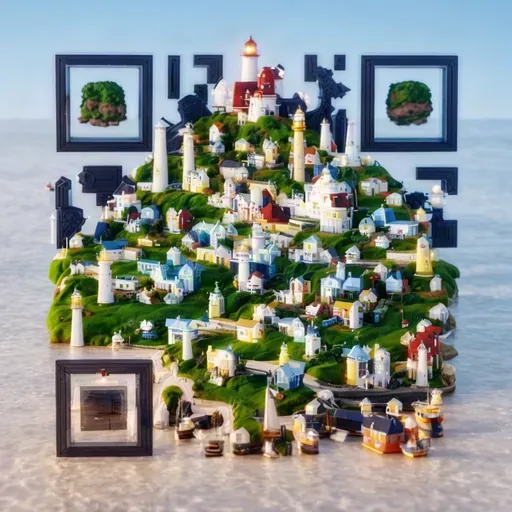
Standard codes are free and right for handouts, lanyard inserts and rep contact cards. A logo code (1 credit) suits the main stand graphics, where your logo in the centre ties the code to your brand from across the aisle, and it downloads as SVG for large-format print. AI art codes (5 credits) are PNG only, so use them on smaller pieces like a counter panel, postcard or giveaway rather than a two metre banner.
Common questions
Can Scandalous capture leads like a badge scanner?
No. Scandalous doesn't collect visitor details or replace the organiser's badge scanning app. An email code with a prefilled subject is a simple alternative: the visitor sends the email, and you have their address and what they asked for.
Can we see how many visitors scanned our stand codes?
Yes, for link codes: each one's page in Scandalous shows its scans and unique scanners. For email codes, count the emails that arrive with your prefilled subject.
Will the codes work if the hall Wi-Fi goes down?
Contact card and text codes will, because everything is stored in the code itself. Link and email codes open on the phone without signal, but the page won't load and the email won't send until the visitor is back online.
Can we use the same banner at next year's show?
Yes. As long as the code stays in your library and the link behind it still works, the banner can go to as many shows as it survives.
Can each rep make their own contact card code?
Yes. Invite the sales team to your organization and anyone can make codes, including their own contact card. Standard codes are free, and logo codes come from the organization's shared credits.
your first code is free.
sign up with your email and start making codes. add a logo or ai art whenever you need it.
get in, it's free